
Building AI KAGARI, a HUD-Style Home Security System
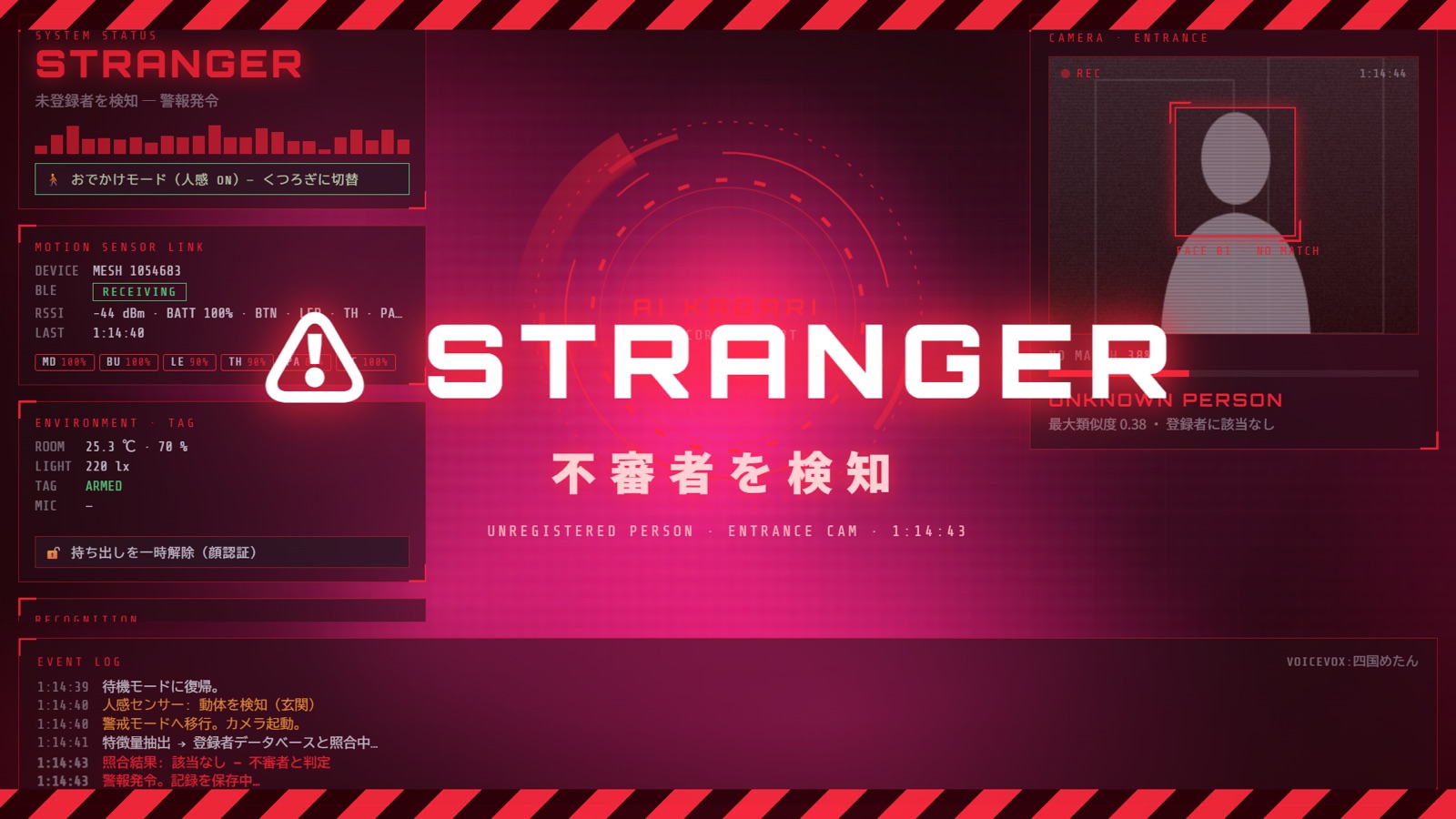
As a personal research project, I have been building something called AI KAGARI. In one sentence: a motion sensor fires, a camera checks the face, and if the face is not registered, the system says so out loud. The screen is styled like a HUD (head-up display) from a sci-fi film, and the voice is Shikoku Metan from VOICEVOX.
I already had a home security system running at home. Motion detection, face recognition and spoken responses were all working. What I added this time is the HUD-style screen, turning it into a system you can actually see. That is AI KAGARI.
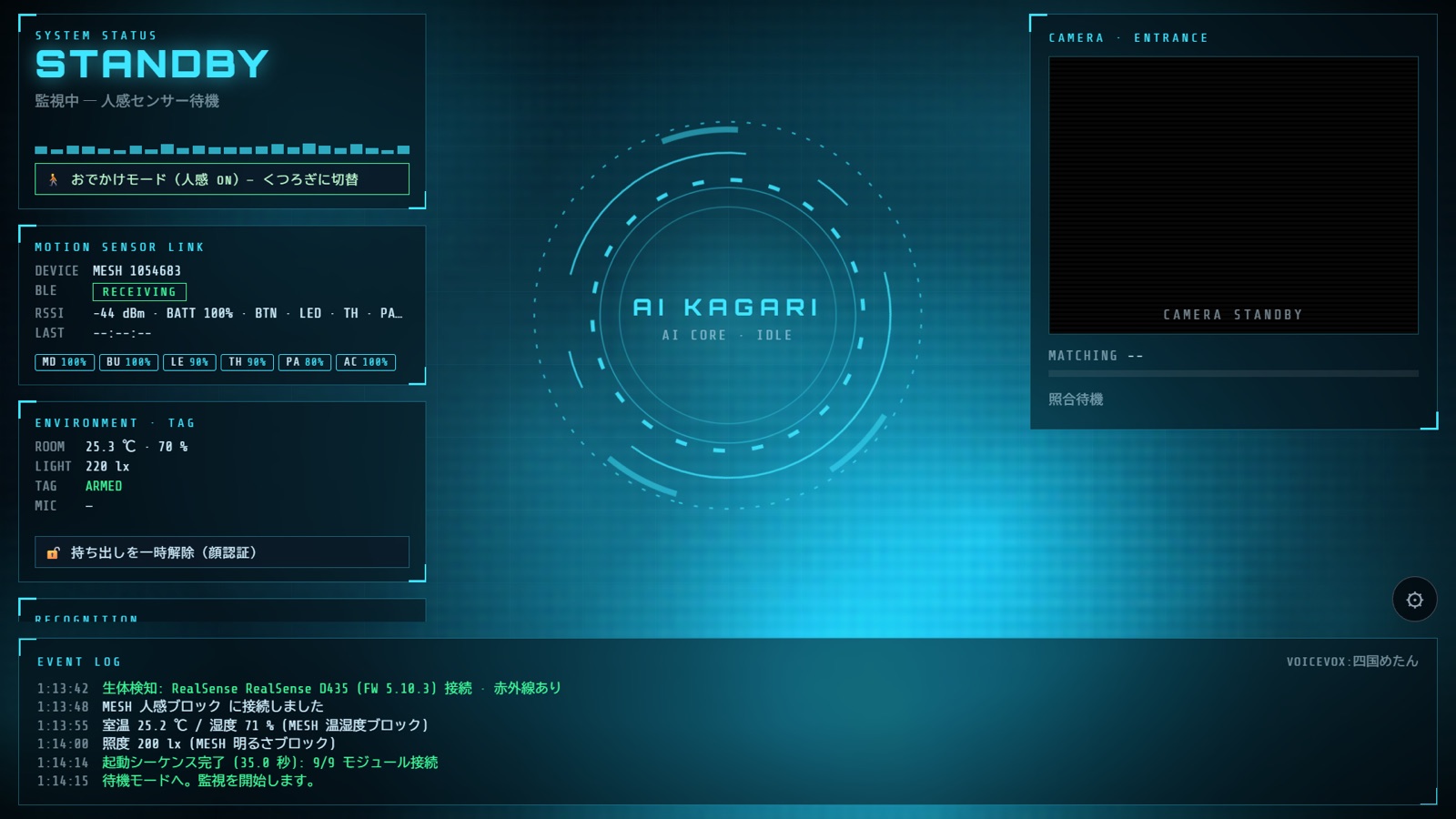
What happens
Picture a small display by the front door.
- The motion sensor fires. The screen switches to ARMED and the camera starts.
- The face in view is compared with the registered faces. If it matches, “Welcome home.”
- If it does not, a red alert, a siren, and “Stranger detected!” A photo is saved while the alarm is on.
- The alarm can only be cleared by a registered face, a physical button, or a passcode. Nothing on the screen or keyboard will do it.
It looks theatrical, but the core is the same flow as before: work out who is there and say the result. Putting it on a HUD means you can see what the system is looking at and what it decided, and whether the sensors and camera are healthy, at a glance.
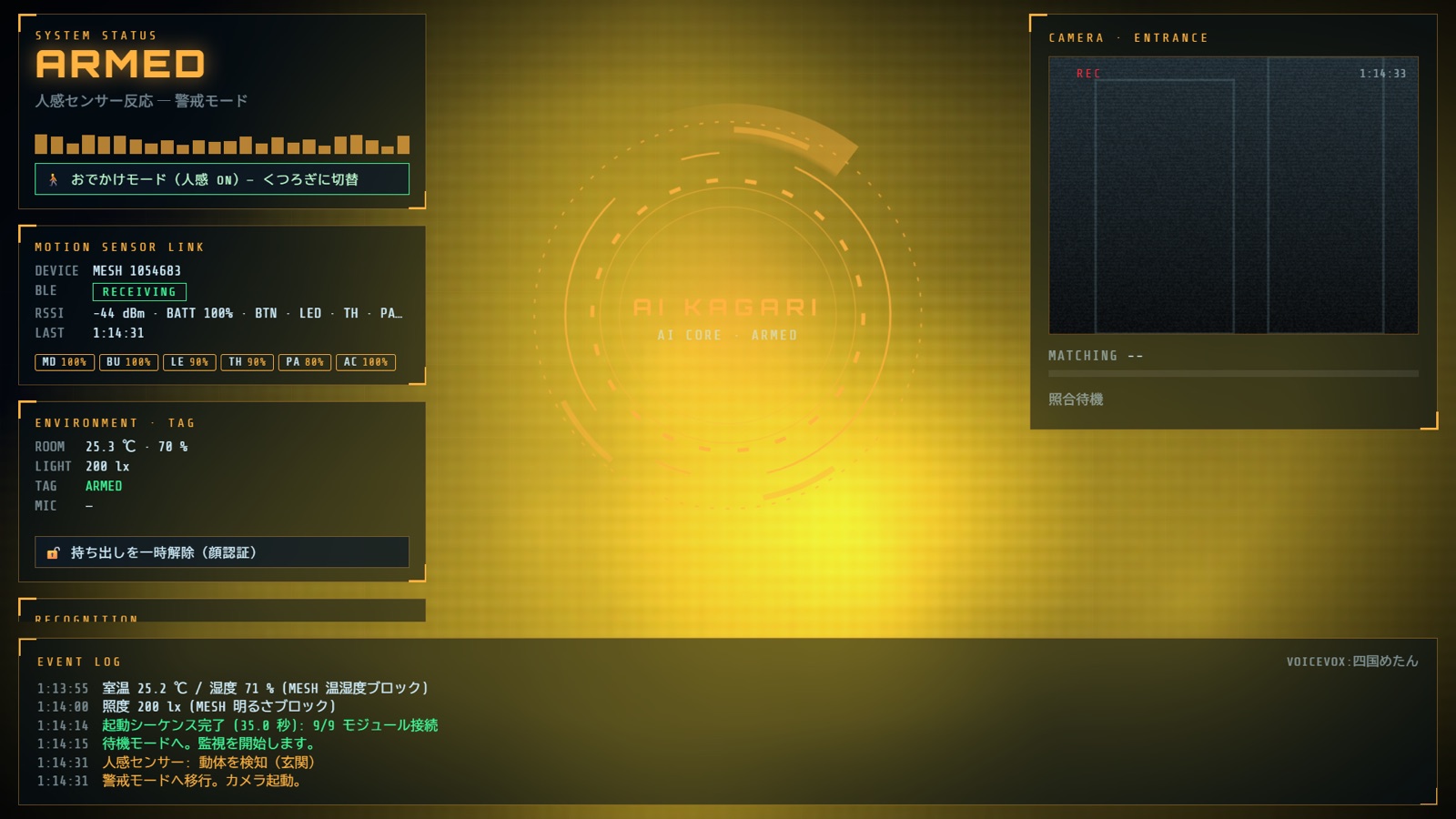
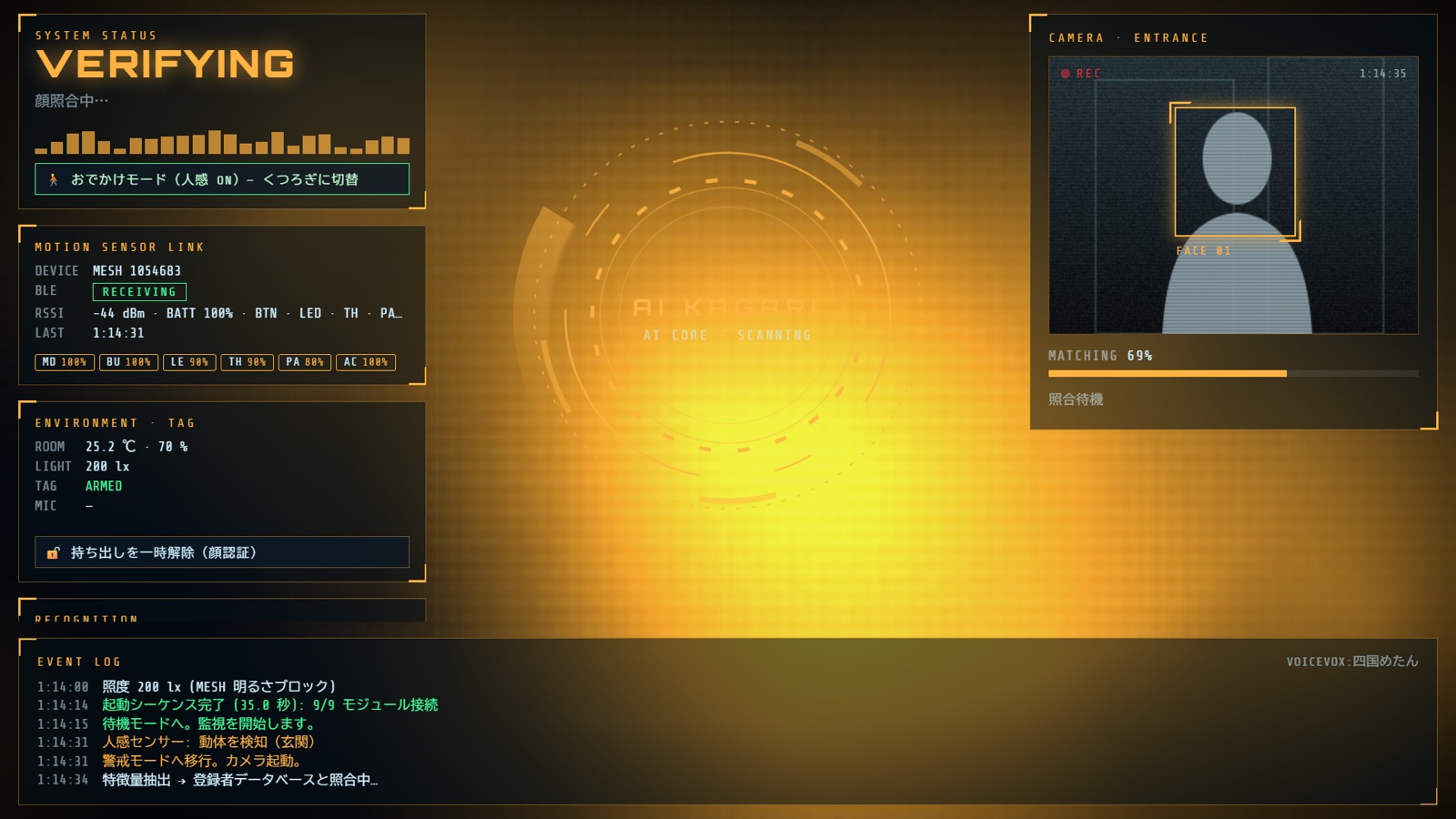
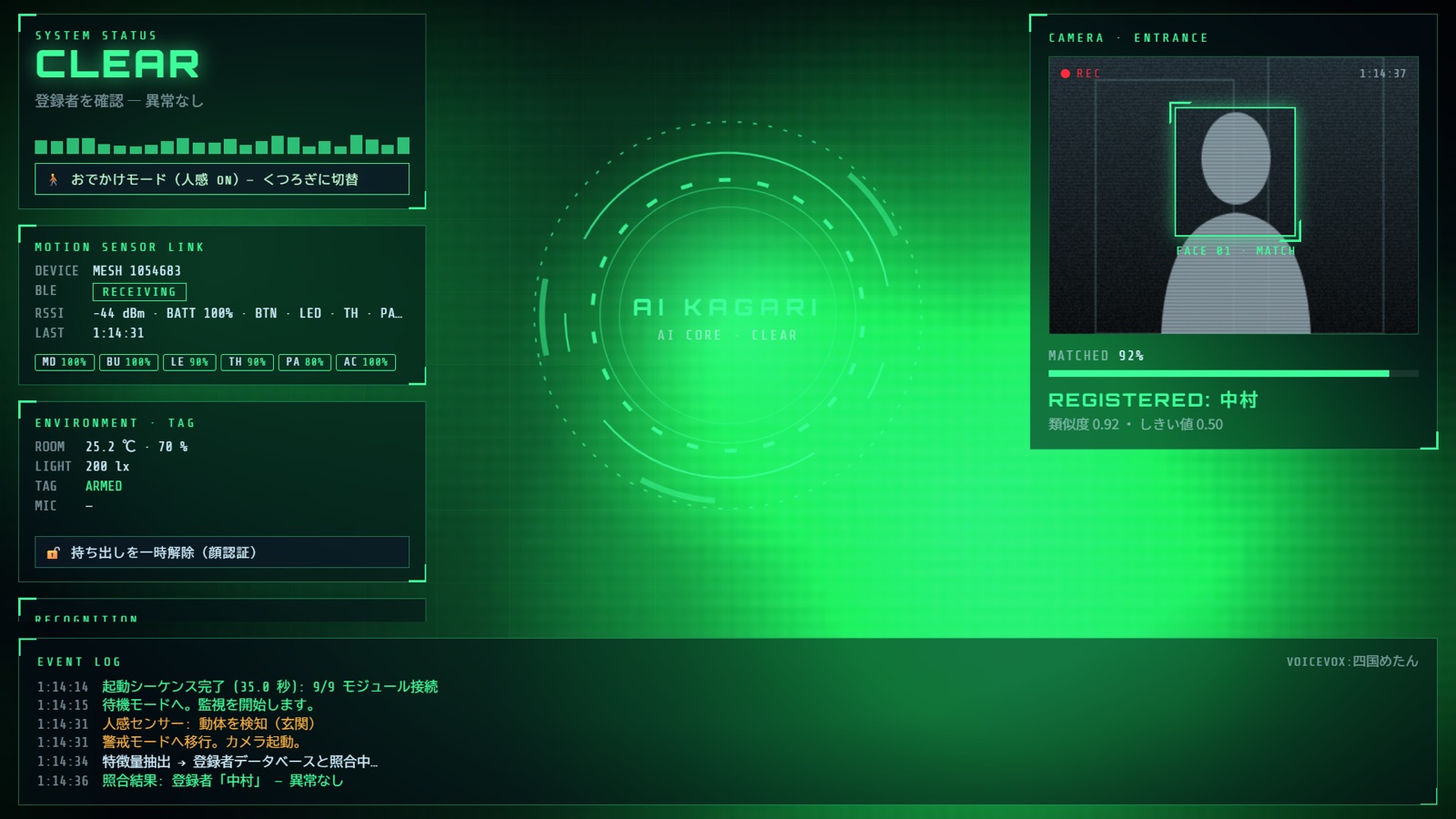
What it is made of
Everything is off the shelf.
| Role | Component |
|---|---|
| Motion, movement, button, LED, temperature/humidity, brightness | Sony MESH blocks (over BLE) |
| Camera | Logitech C920 (HD Pro Webcam), plus the built-in camera |
| Photo spoofing and darkness | Intel RealSense D435 (depth and infrared) |
| Face detection, matching, expressions | face-api (the vladmandic build; runs in the browser) |
| Hand-wave detection | MediaPipe Hand Landmarker |
| Listening for replies | Vosk (offline speech recognition, small Japanese model) |
| Voice | VOICEVOX (Shikoku Metan) |
| Shell | Electron (full-screen kiosk on Windows) |
There is no cloud. Face matching and speech recognition both run on the device, so no video or audio from inside the house ever leaves it.
The fun parts
Talking to MESH blocks directly. MESH blocks are meant to be paired with a smartphone app, but the BLE protocol is public, so the PC connects to them directly and subscribes to notifications. The motion block arms the system, a shake of the movement block raises a “tamper” alarm, the button block clears it, and the LED block changes colour with the state (a slow cyan breathing in standby, rainbow for a stranger). Adding a block adds a feature. That part is just fun.
What if someone holds up a photo? Face recognition alone will accept a photo of a registered person, or a phone screen. So the system looks at RealSense depth, and if the face is flat it says “Is that a photo?” and treats it as a stranger. It only checks for flatness, so a 3D mask would get through. In the dark it switches to the RealSense infrared image for matching, with a limit of its own: with a little ambient light the face is detected, but in complete darkness only the projector’s dot pattern is visible and detection fails.
What if someone cuts the sensor? The first thing an intruder would do is pull the sensor’s power. If a block that was connected drops off and does not come back within a few seconds, the system raises a “Link lost!” alarm. A short grace period keeps a momentary radio dropout from triggering it.
Closing the back doors. Early on, Esc cleared the alarm. That meant anyone standing in front of the screen could stop it. On the real device, settings cannot be opened while armed, verifying or alarming, and the only ways to clear are a face, the button, or a passcode. The passcode is 4 to 8 digits, and five wrong attempts lock it for 60 seconds. Anything that relaxes the guard, such as switching to relax mode or pausing the tamper alarm, also needs a face or the passcode.
A bit of everyday life. In standby the inner camera watches for a wave, and waving gets a “Hi!” back. If the room is hot it asks “Shall I turn on the air conditioner?”, and if you say yes into the microphone it answers “Done!” (it is a demo, so nothing is actually switched). A smile gets “Something good happen?” It is built less as a security appliance and more as a housemate who happens to live by the door.
About the character
The display name is AI KAGARI, but in the character notes her name is Kagari Ai (神狩 愛). “Kagari” comes from kagaribi, the watch fire that keeps the night. There is no real AI model inside, so she introduces herself with “Kagari Ai here! Booted up!” At startup a SYSTEM INITIALIZATION panel shows each module coming online in turn, purely for the pleasure of it.

Next: connecting to MAHORO and MAiD
Today’s AI KAGARI only looks intelligent. It is a state machine and some stagecraft, with no brain behind it. The plan is to connect it to MAHORO, the personal AI agent I am developing, and to MAiD, the framework underneath it.
I think of MAiD as a framework that coordinates several agents running around the house, so AI KAGARI becomes its eyes, ears and mouth: the sensor-side agent standing at the door. It would pass events to MAHORO (“someone arrived”, “the room is hot”, “a sensor was cut”) and get back judgements grounded in memory and context, such as “this person arriving at this hour is normal.” Only then does Kagari become a housemate in any real sense.
The practical pieces, such as actually switching the air conditioner after “Shall I turn on the air conditioner?”, phone notifications on an alarm, and motion sensors in rooms other than the entrance, are already handled by the home system underneath. The house has SwitchBot sensors throughout, the air conditioner, TV and lights are controllable over an API, and notifications go out through IFTTT. Its core runs on a Raspberry Pi, so the small-enclosure part is solved there too. The MESH blocks on the AI KAGARI side are a kit for this HUD; the next step is wiring Kagari into both that existing setup and MAHORO. I will keep growing it as one of my personal research projects, and write again when there is progress.
Voice: VOICEVOX: Shikoku Metan